Inside Git: How It Works and the Role of the .git Folder
Hello everyone,
In this blog we will see how Git actually works internally, what are the objects, and what is the .git folder.
In the previous blog, we have already seen how we can initialize Git and add files using different commands.
Now let’s understand what actually happens behind the scenes.
What Happens When You Run git init?
When you initialize Git using git init, Git creates a hidden folder called .git.
This folder is the heart of your Git repository.
Without it, Git cannot track anything.
What is .git?
.git is nothing but the directory where the history of all the project files are stored.
It has several components like:
objects/
In this, all your commit history and file contents are saved.refs/
It stores the references which are pointers to specific commit hashes in your repository history (like branches and tags).HEAD
A file that points to the branch in which you are currently working (checked out).index
It is also called the staging area.
It is a binary file that tracks what will go into your next commit.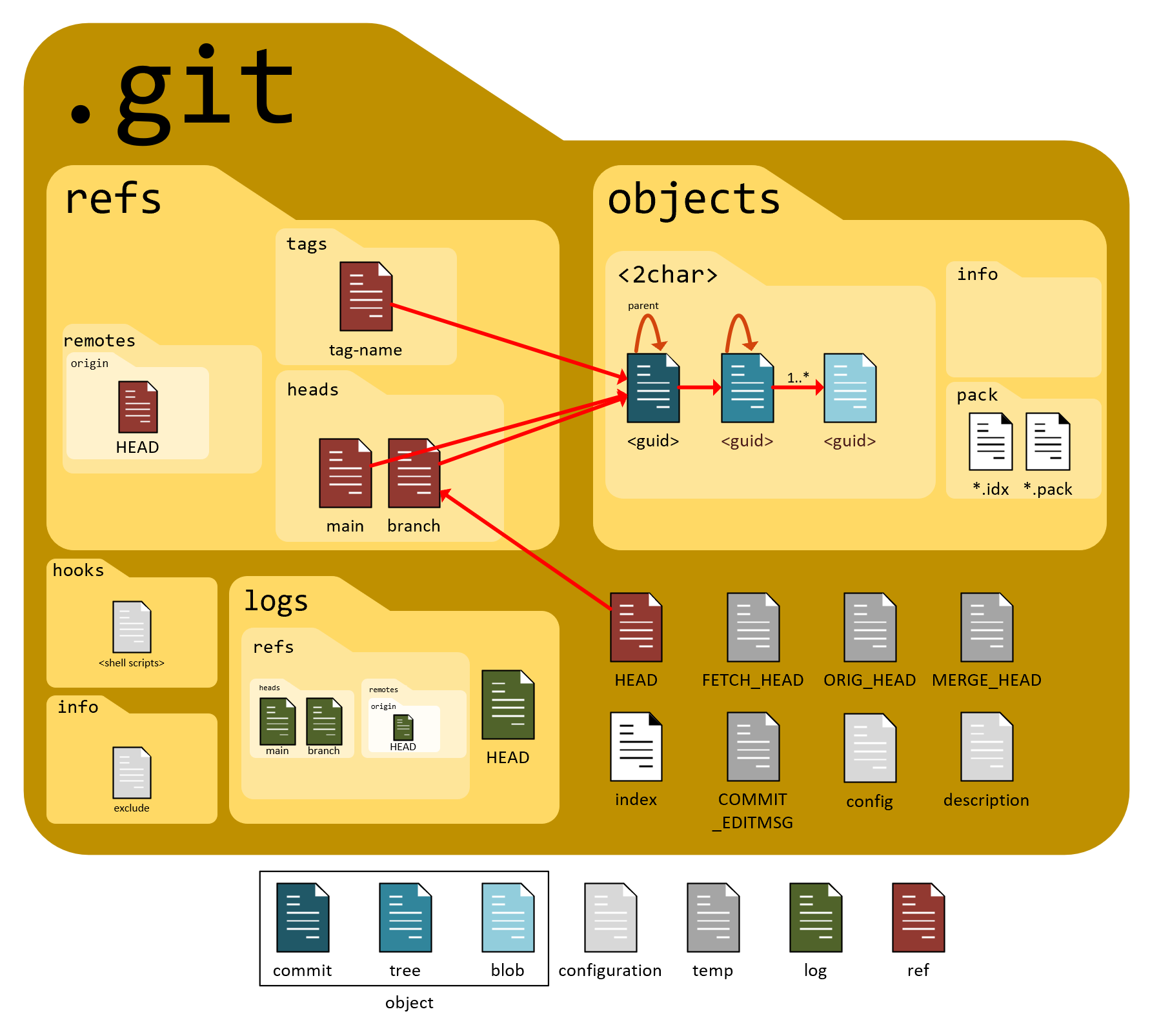
.
👉 Important :
If you delete the .git folder, your project becomes a normal folder, and Git forgets everything.
Objects of Git
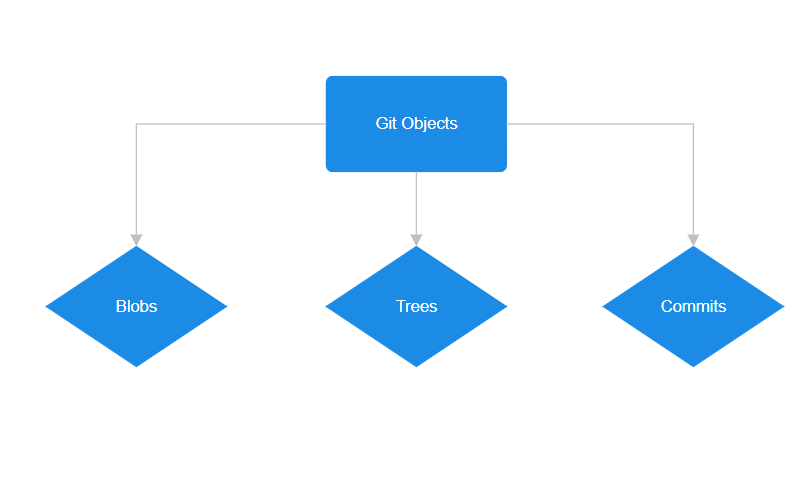
Git objects are the fundamental units of storage in Git.
It has various elements like commits, trees, and blobs.
All these objects are identified by a SHA-1 hash, which makes Git secure and reliable.
Blob (Binary Large Object)
A blob is the snapshot of the file content.
It stores only the content, no filename or metadata
It is identified by a SHA-1 hash
It captures the file’s current state at a particular time
It is immutable (cannot be changed)
When you modify a file, Git creates a new blob instead of changing the old one.
This helps in maintaining integrity of the version history in Git.
Tree
A Git tree is like a folder in a file system.
It organizes blobs and sub-trees (subdirectories)
It stores references of blobs and other trees
It also stores metadata like file names and directory structure
The SHA-1 hash of a tree depends on:
File names
Structure
References to blobs and sub-trees
So even a small change in structure creates a new tree object.
Commit
A commit object represents a snapshot of the entire project.
A commit contains:
Reference to the root tree
Parent commit(s)
Author and committer information
Commit message
Timestamp
So a commit does not store files directly —
it points to a tree, which points to blobs.

How Git Tracks Changes
Git does not track changes line by line like traditional systems.
Instead:
It takes snapshots
If a file does not change, Git reuses the old blob
If it changes, Git creates a new blob
This makes Git:
Fast
Efficient
Reliable
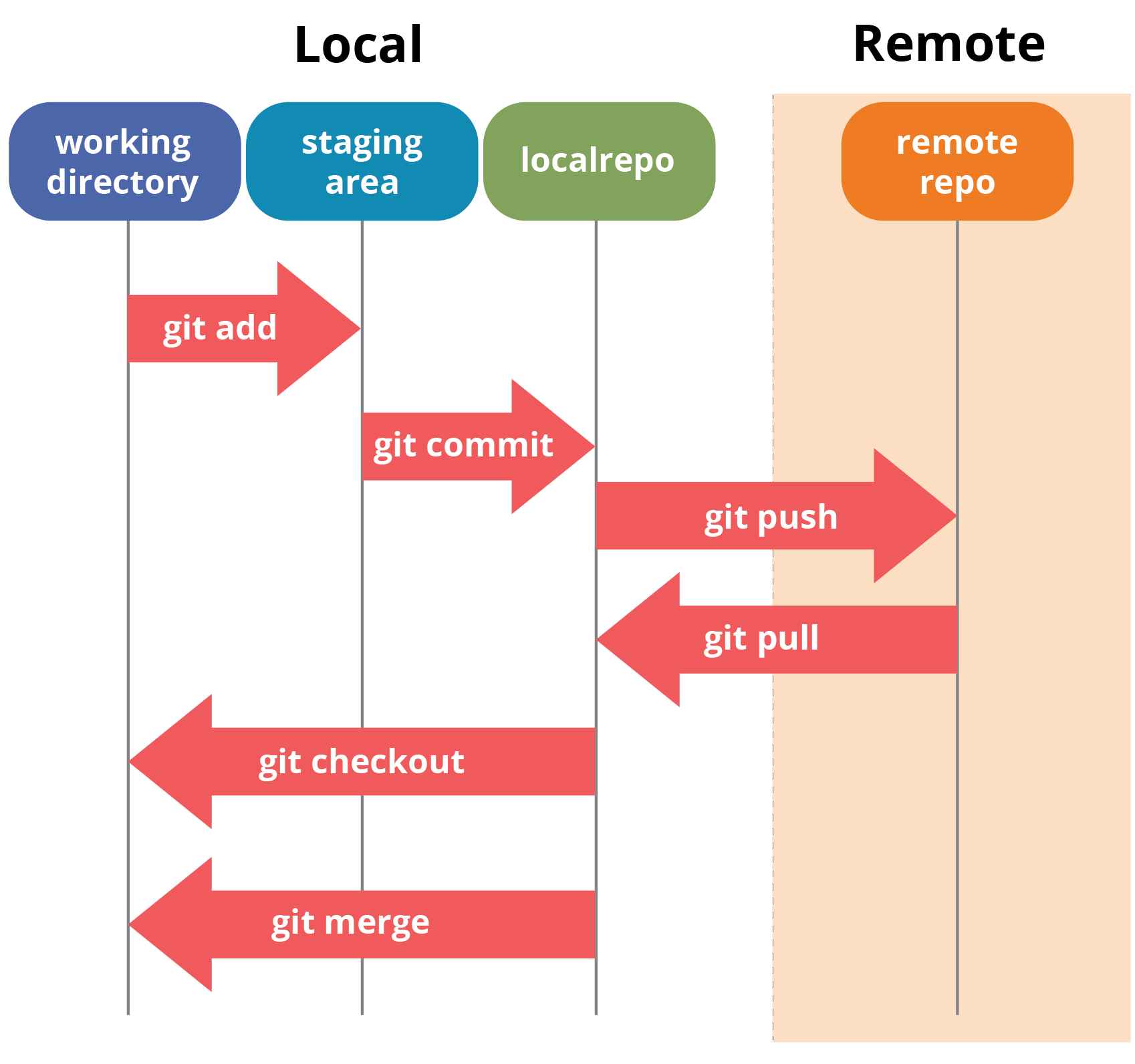
What Happens During git add?
When you run git add:
Git creates a blob object for the file
The blob is stored inside
.git/objectsThe index (staging area) is updated
Git prepares the file for commit
At this stage, the file is tracked but not committed.
What Happens During git commit?
When you run git commit:
Git creates a tree object from the staged files
Git creates a commit object
The commit stores:
Tree reference
Parent commit reference
Metadata and message
The branch reference is updated
How Git Uses Hashes to Ensure Integrity
Git uses SHA-1 hashes to:
Identify objects uniquely
Detect data corruption
Ensure history cannot be tampered with
If even one byte changes, the hash changes completely.
That’s why Git is very reliable and secure.
That’s it for this blog 😊
I hope this helped you understand what really happens inside Git, beyond just running commands